Cart
0



 IN STOCKBlind Box
✦✧✦


1 / 15
Kodak
Y2K EditionIn stock
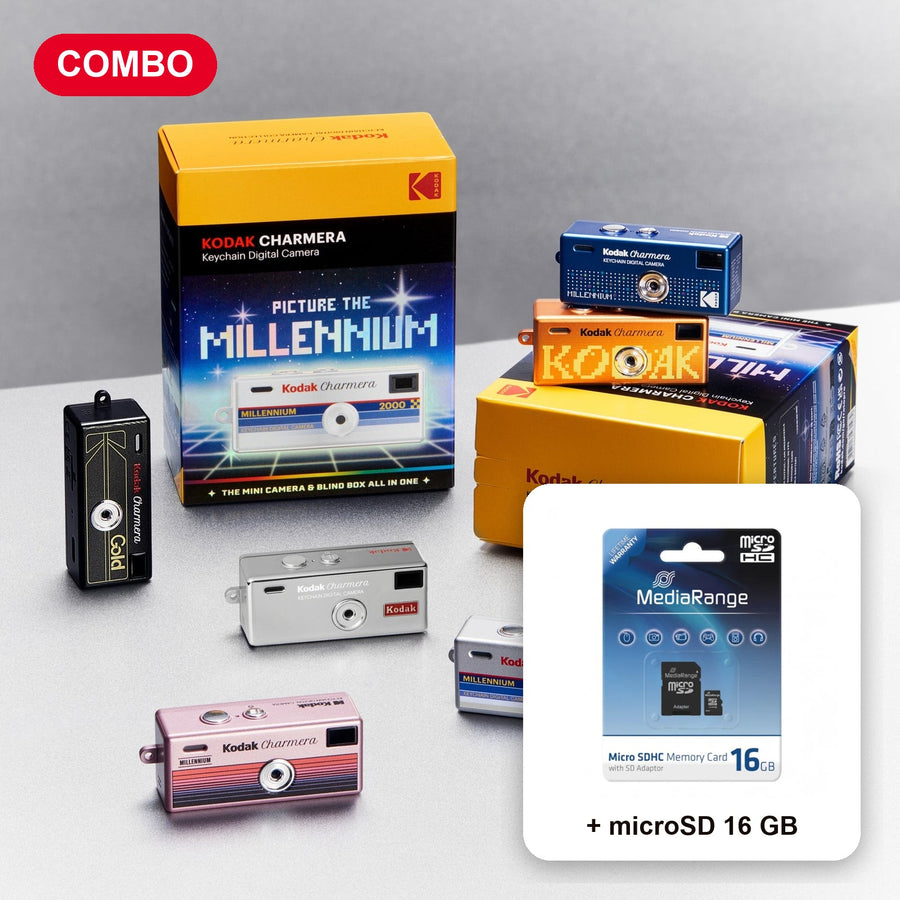
Kodak Charmera MILLENNIUMCOMBO + microSD 16 GB
€59,99€66,99
📷 Camera+💾 microSD 16 GBReady to shoot out of the box
🎲 1 of 7 designs — totally random
6 metallic designs (1/6 each) + 1 secret liquid-chrome edition (1/48). You find out when you open the box.
In stock — ready to ship
Fast shipping
14-day returns
Secure checkout
✈ No EU import duties
⚡ Express over €100
The collection
Which one will you pull?
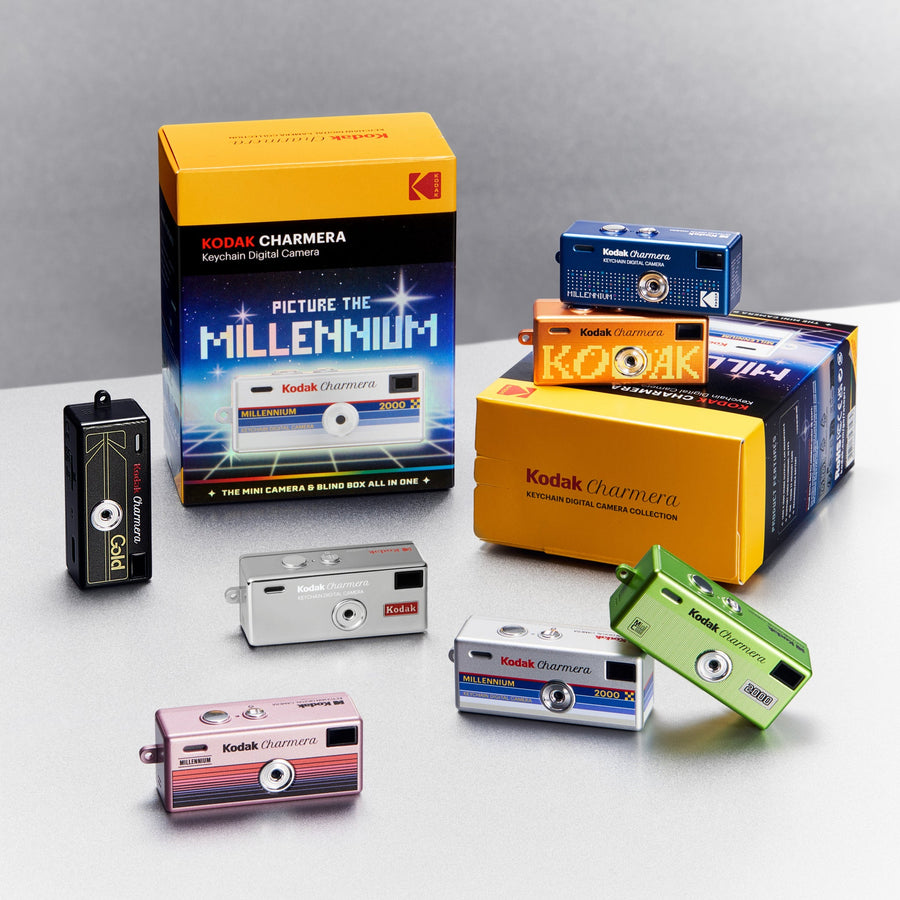
6 high-gloss metallic shells + 1 secret liquid-chrome edition. Every box is a surprise.
1/6


Silver 2000
#01
1/6


Sunset Pink
#02
1/6


Pixel Orange
#03
1/6


Lime Green
#04
1/6


Black Gold
#05
1/6


Pixel Blue
#06
1/48


Liquid Chrome — Secret
#07
💿
Y2K metallic shells
High-gloss finishes straight out of a 2003 gadget catalogue.
👾
Pixel-art interface
New pixelated menus, 4 Millennium frames and an optional date stamp.
🌈
7 special filters
Photos that look like they came off a 2000s digicam — on purpose.
🔑
30 g on your keys
Photo + video, USB-C charging and transfer, clips onto anything.
Kodak Charmera Millennium COMBO — ready to shoot out of the box
The Y2K edition of the viral keychain camera, bundled with a 16 GB microSD card so you can start shooting the moment you open it. The Kodak Charmera Millennium Edition wraps the same pocket-sized camera in high-gloss metallic shells straight out of the early 2000s, with a pixel-art interface, Millennium photo frames and 7 special filters.
Blind box — 1 of 7 designs
Every Charmera Millennium comes in a sealed blind box. There are 6 metallic designs — silver, pink, orange, green, black and blue (1/6 each) — plus a secret liquid-chrome edition with odds of just 1/48.
Main features
- 1/4" CMOS sensor, 35 mm f/2.4 lens
- Photos at 1440 × 1080 (1.6 MP), video at 30 fps
- 4 Millennium frames, 7 special filters, optional date stamp
- USB-C charging and direct file transfer
- 16 GB microSD card included (camera supports up to 128 GB)
- 58 × 24.5 × 20 mm, only 30 g
What's in the box
- 1 × Kodak Charmera Millennium (random design)
- 1 × MediaRange microSD card 16 GB
- USB-C cable
- Keyring
- Collectible ID card and leaflet
Blind box product: the design is random and can't be chosen. Images are for illustration.
| Sensor | 1/4" CMOS |
| Lens | 35 mm, f/2.4 |
| Photo | 1440 × 1080 (1.6 MP), JPEG |
| Video | 30 fps, AVI |
| Frames & filters | 4 frames, 7 filters, date stamp |
| Storage | microSD 16 GB included (supports up to 128 GB) |
| Port | USB-C (charging + transfer) |
| Dimensions | 58 × 24.5 × 20 mm |
| Weight | 30 g |
Charmera Millennium
1× random design
microSD 16 GB
Ready to shoot
USB-C cable
Charging + transfer
Keyring
Ready to carry
Collectible ID card
Millennium
Leaflet
Quick start
Shipping & returns
No EU import duties. Free express shipping on orders over €100. 14-day returns from delivery, item in original condition.
Questions? pocketflashinfo@gmail.com
How to Transfer Photos
Connect directly to your phone via USB-C — no SD card removal needed.
1
Connect the cable
Use a USB-C to USB-C cable. For iPhones with a Lightning port, use a USB-C to Lightning cable or a USB-A to Lightning cable with an Apple adapter.
2
Turn the camera on
Press the power button on the Charmera. The display will light up.
3
Open the Files app
Launch the built-in Files app on your iPhone and tap Browse.
4
Find the camera
Look for an external drive named "Untitled" or "No Name" under Locations.
5
Save your photos
Open the DCIM folder, select the photos you want, tap the Share icon, and choose Save Image.
1
Grab the right cable
Use a USB-C to USB-C cable. If your Android phone has an older port, you may need an OTG (On-The-Go) adapter.
2
Connect the devices
Plug one end into the Charmera and the other end into your Android phone.
3
Select connection mode
If prompted on the camera screen, select "PC Camera" or "Memory" mode so your phone reads it as a flash drive.
4
Open your file manager
Open Files by Google or your phone's native files app. Look for a connected USB drive — it may appear as "Untitled", "GENPLUS U Disk", or "USB Storage".
5
Transfer your photos
Navigate to the DCIM or PHOTO folder. Select the photos you want, tap Copy or Move, and paste them into your phone's internal storage or Photos gallery.
Frequently Asked Questions
When will my order ship?
+
The Millennium is in stock — orders are packed and shipped right away, and you get an email with tracking.
Can I choose the design?
+
No — it's a blind box. Each box holds 1 of 7 designs: 6 metallic designs (1/6 each) and the secret liquid-chrome edition (1/48).
Is a microSD card included?
+
Only in the COMBO version, which comes with a 16 GB microSD card so you can shoot straight away. The camera-only version needs a microSD card (up to 128 GB), sold separately.
What's different from the original Charmera?
+
Same tiny camera inside, brand-new look: Y2K high-gloss metallic shells, a pixel-art interface, new Millennium frames and 7 special filters.
Can I cancel my order?
+
Yes — email pocketflashinfo@gmail.com before your order ships. After delivery, the standard 14-day return policy applies.
Leave a Rating
Purchased this product? Rate it with 1–5 stars.