Cart
0


 SINCE1987
Blind Box
'87 10 26


1 / 6
Kodak
Original
Blind Box
Kodak CHARMERA
$54.00
📷 Camera only — microSD card not included (up to 128 GB)
🎲 1 of 7 styles — totally random
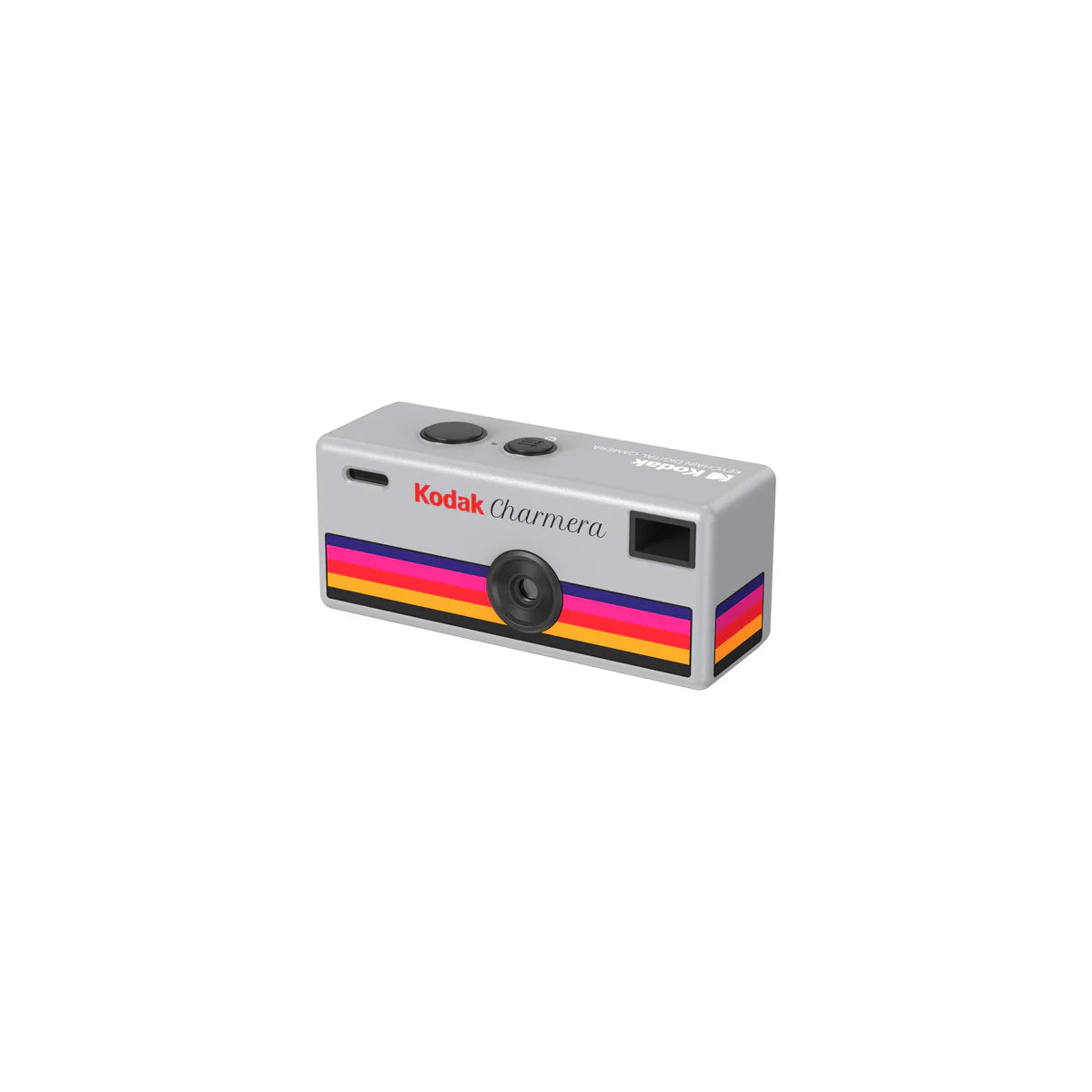
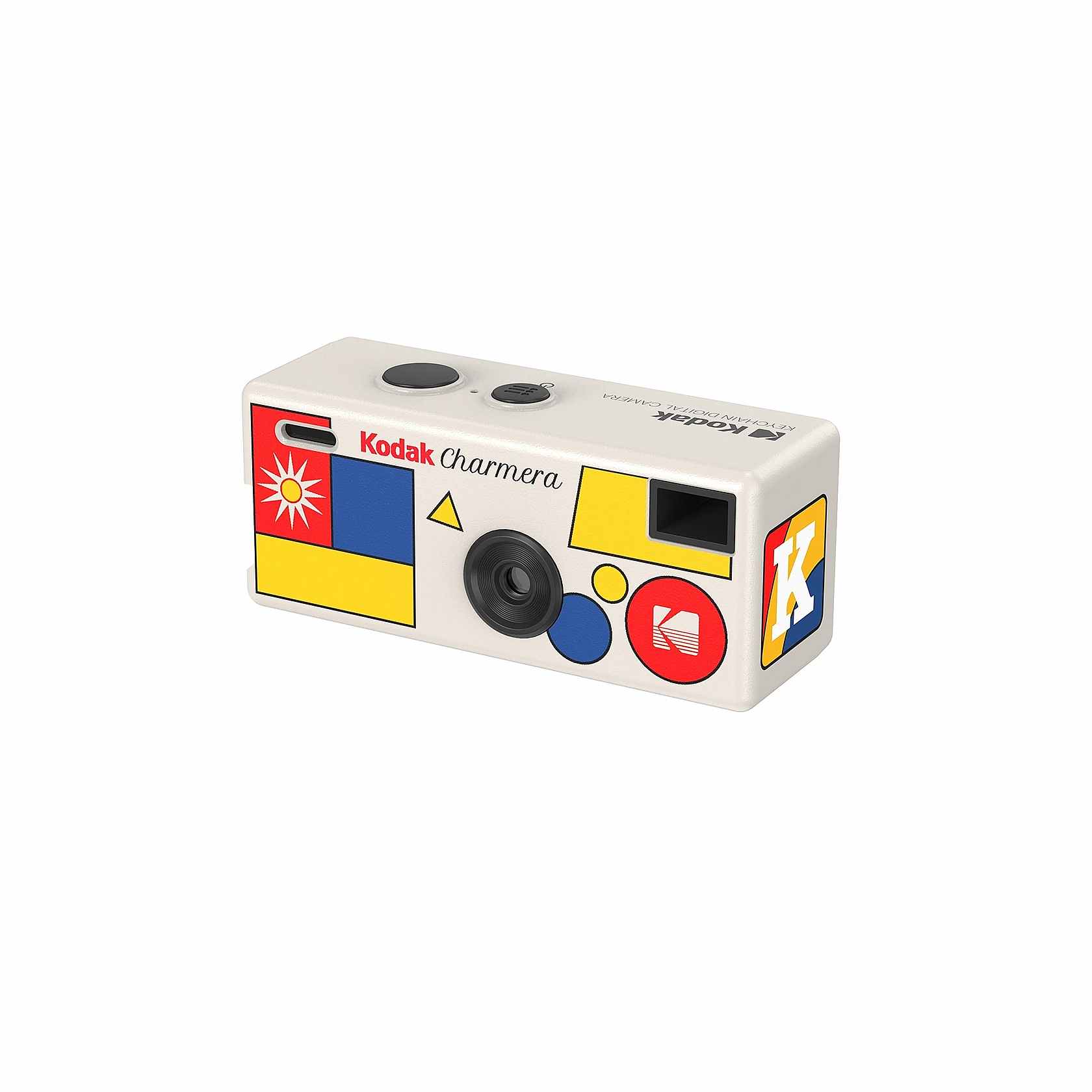
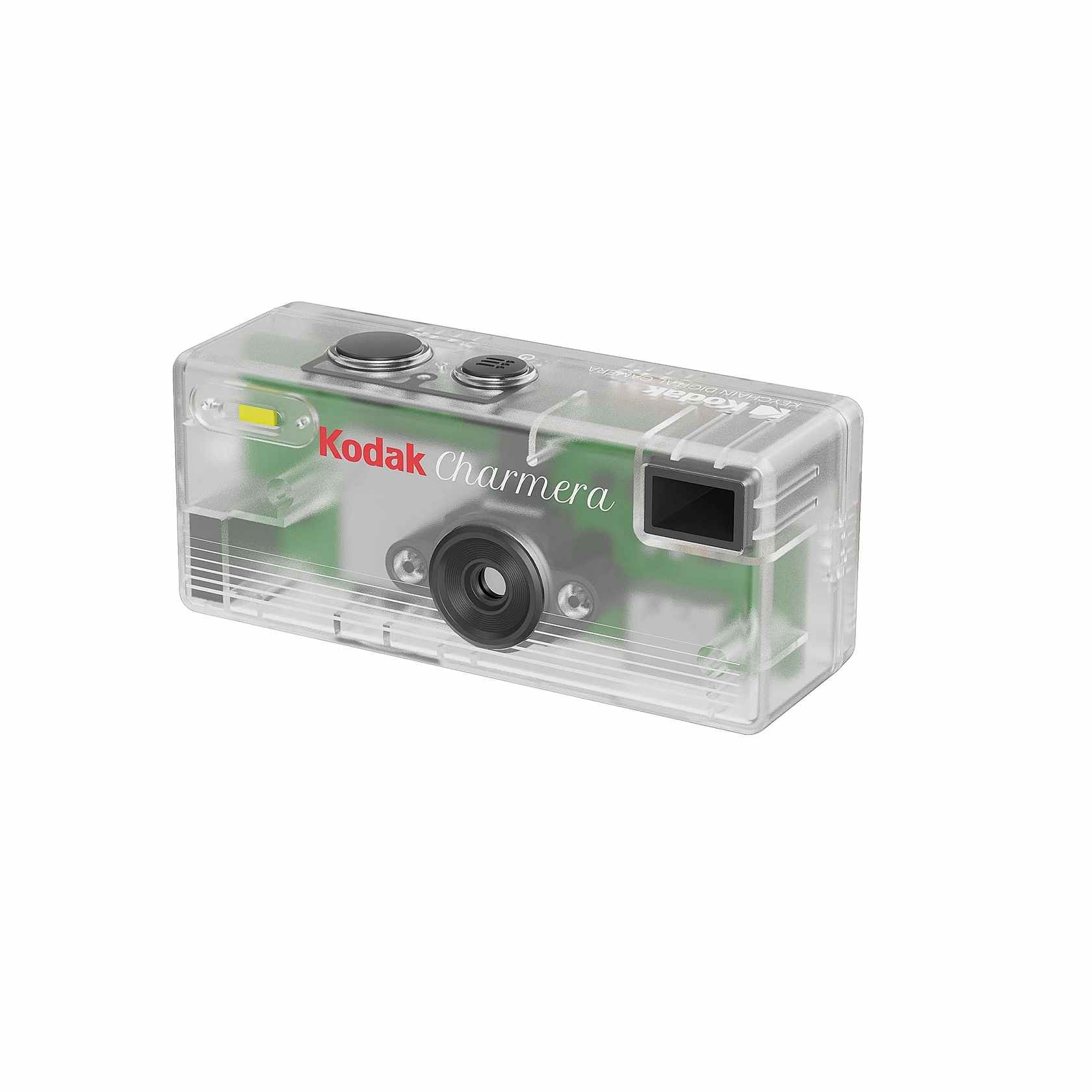
6 retro designs inspired by the 1987 Kodak Fling + 1 rare transparent Mystery Edition (1/48). You find out when you open the box.
In stock — ships fast
Fast delivery
14-day returns
Secure checkout
✈ No EU import duties
⚡ Express over €100
The collection
Pick your style
7 designs, 1 mystery. Which one will you get?
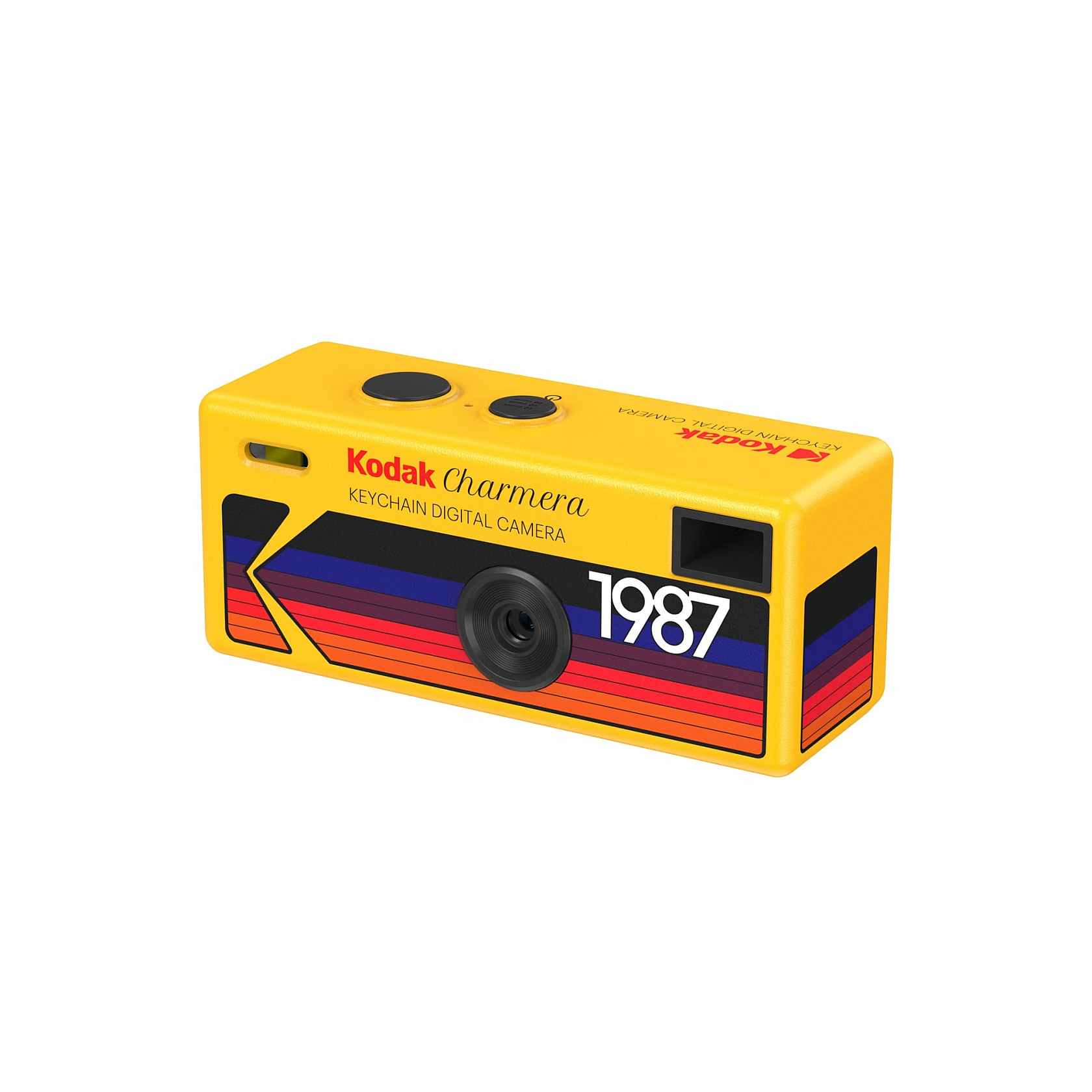
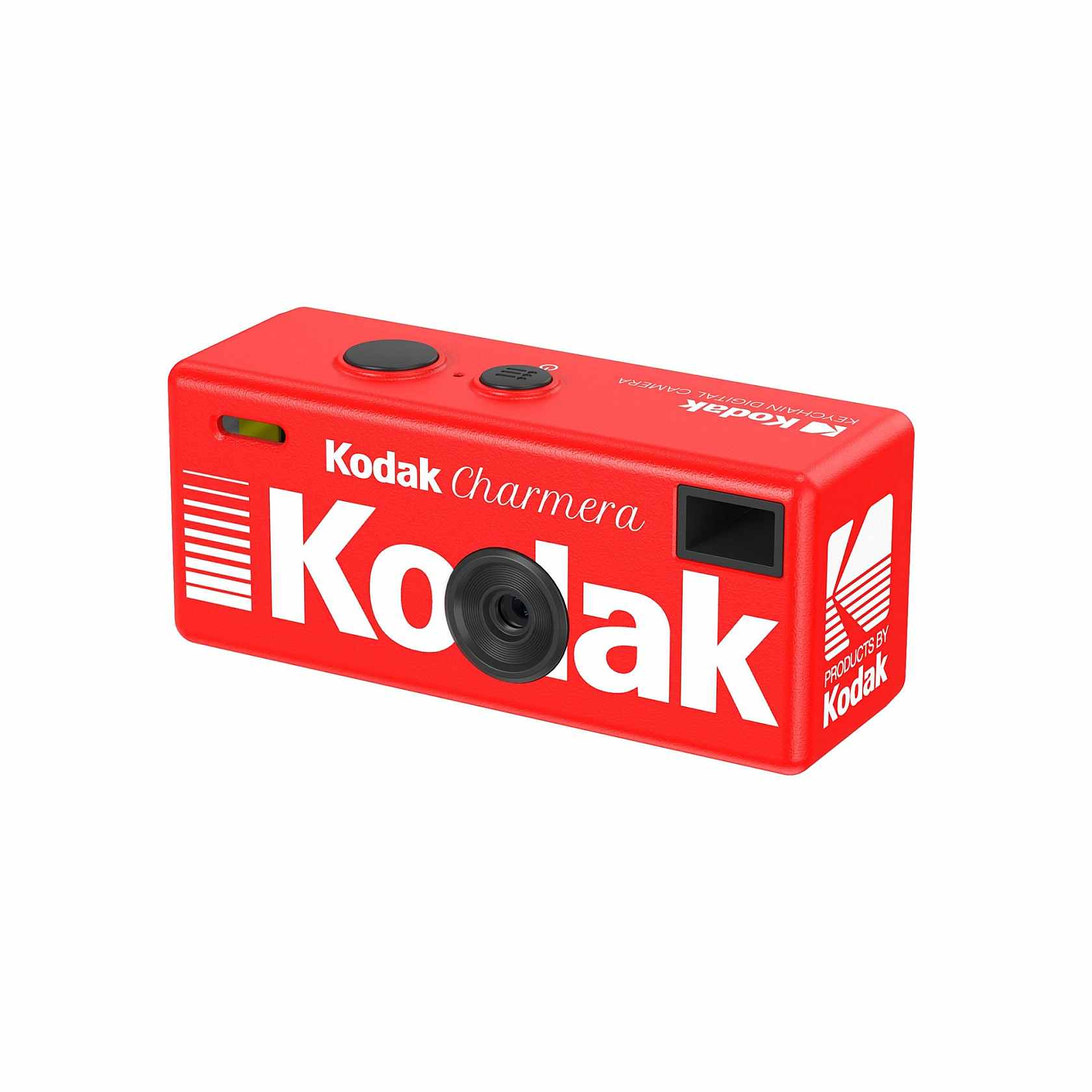
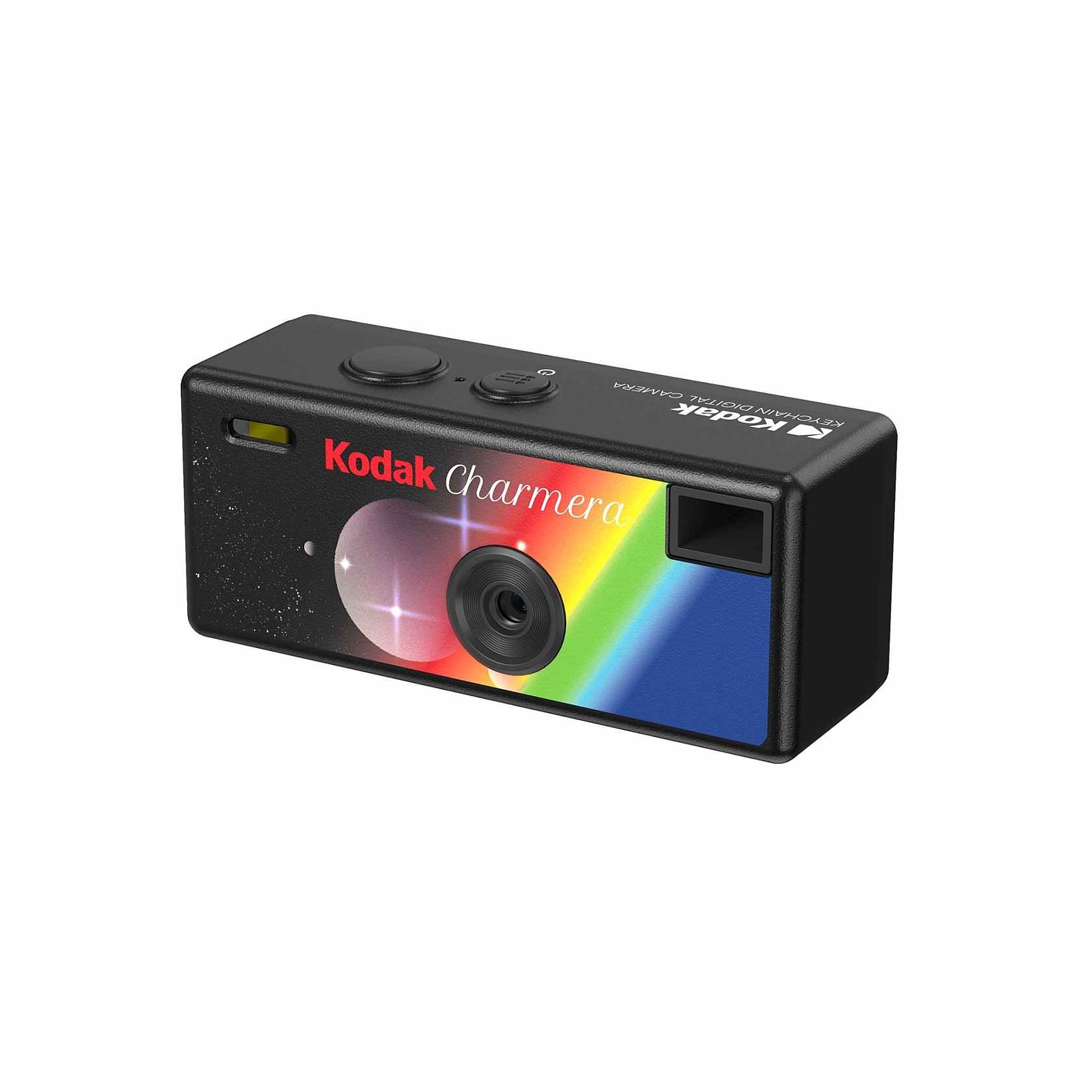
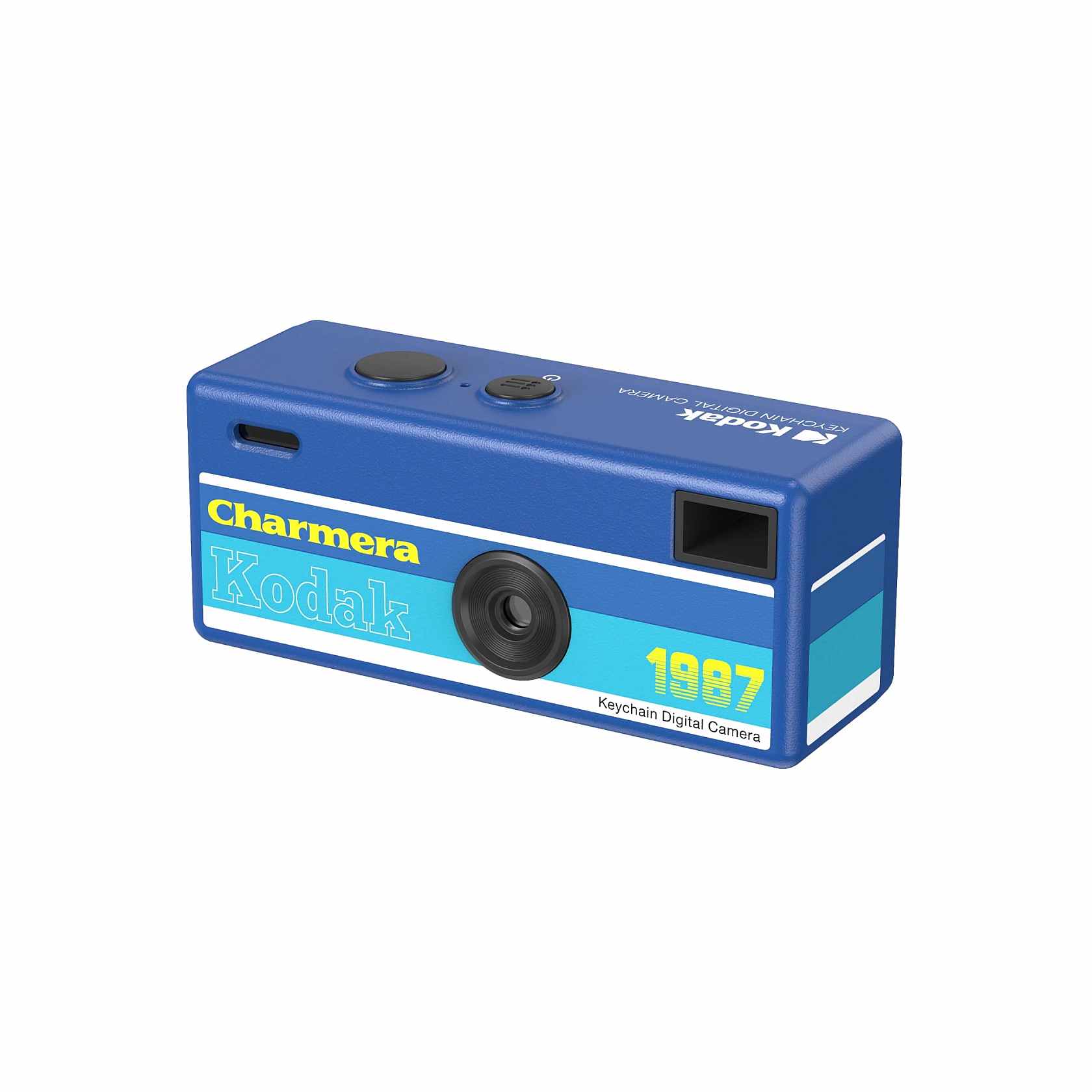
🎞️
1987 Fling look
A tiny tribute to Kodak's first single-use camera — rainbow stripes and all.
🌈
7 film filters
Retro film filters, 4 frames and an optional date stamp — like a real point-and-shoot.
📹
Photo + video
1440 × 1080 photos, 30 fps video, LCD screen and optical viewfinder.
🔑
30 g on your keys
USB-C charging and transfer. Clip it on your keys, bag or belt.
Kodak Charmera — retro style in a miniature digital camera
The Kodak Charmera is a small collectible digital camera shaped like a keychain — a nostalgic retro look combined with modern digital functionality. Despite its miniature size, it's a fully functional camera that captures spontaneous moments with the charm of analog-film-inspired photography.
Mystery blind box
Every Charmera ships in a sealed mystery box — the colour and style are revealed only when you open it. There are 7 styles inspired by classic Kodak designs: classic yellow, red, gray, white with geometric details, black with rainbow details, blue — plus a rare transparent Mystery Edition that appears only occasionally. Collect them all, or gift the surprise.
Main features
- Ultra-compact: 58 × 24.5 × 20 mm, only 30 g
- 1.6 MP CMOS sensor (1/4″), photos at 1440 × 1080
- Video recording at 30 fps (AVI)
- Fixed lens, 35 mm equivalent
- 7 retro film filters and 4 frames
- Optional date stamp on photos
- Rear LCD screen + optical viewfinder
- USB-C charging and direct file transfer
- Supports microSD cards up to 128 GB (card not included — see the COMBO with a 16 GB card)
What's in the box
- 1 × Kodak Charmera digital camera (random colour)
- USB-C cable
- Key ring attachment
- Collectible Charmera card
- Instructions for use
Note: this is a blind box product — the colour and style are randomly selected and cannot be chosen in advance. Packaging photos are illustrative only.
| Sensor | 1/4" CMOS |
| Photo | 1440 × 1080 (1.6 MP) |
| Video | 30 fps, AVI |
| Lens | Fixed, 35 mm equivalent |
| Filters & frames | 7 filters, 4 frames, date stamp |
| Viewing | LCD screen + optical viewfinder |
| Storage | microSD up to 128 GB (not included) |
| Port | USB-C (charging + transfer) |
| Dimensions | 58 × 24.5 × 20 mm |
| Weight | 30 g |
Kodak Charmera
1× random style
USB-C cable
Charging + transfer
Keyring
Ready to carry
Collectible card
Charmera
Instructions
Quick start
Shipping
No EU import duties — the price you see is the price you pay. Free express shipping on orders over €100.
Returns
14 days from delivery, item in original condition. Questions? pocketflashinfo@gmail.com
How to Transfer Photos
Connect directly to your phone via USB-C — no SD card removal needed.
1
Connect the cable
Use a USB-C to USB-C cable. For iPhones with a Lightning port, use a USB-C to Lightning cable or a USB-A to Lightning cable with an Apple adapter.
2
Turn the camera on
Press the power button on the Charmera. The display will light up.
3
Open the Files app
Launch the built-in Files app on your iPhone and tap Browse.
4
Find the camera
Look for an external drive named "Untitled" or "No Name" under Locations.
5
Save your photos
Open the DCIM folder, select the photos you want, tap the Share icon, and choose Save Image.
1
Grab the right cable
Use a USB-C to USB-C cable. If your Android phone has an older port, you may need an OTG (On-The-Go) adapter.
2
Connect the devices
Plug one end into the Charmera and the other end into your Android phone.
3
Select connection mode
If prompted on the camera screen, select "PC Camera" or "Memory" mode so your phone reads it as a flash drive.
4
Open your file manager
Open Files by Google or your phone's native files app. Look for a connected USB drive — it may appear as "Untitled", "GENPLUS U Disk", or "USB Storage".
5
Transfer your photos
Navigate to the DCIM or PHOTO folder. Select the photos you want, tap Copy or Move, and paste them into your phone's internal storage or Photos gallery.
Frequently Asked Questions
What exactly is Pocket Flash?
+
A fully functional mini digital camera shaped like a keychain. Takes photos and videos with a retro, film-inspired aesthetic.
What does "blind box" mean?
+
You receive a sealed mystery box. The camera color and style are randomly selected — the surprise is part of the experience.
Can I choose the color?
+
No — that's intentional. Each box contains one randomly selected design. Half the fun is the reveal!
Is the microSD card included?
+
Only in the COMBO version, which comes with a 16 GB microSD card so you can shoot straight away. The camera-only version needs a microSD card (up to 128 GB), sold separately.
How do I charge it?
+
Via USB-C cable (included in the box). The same cable transfers files to your computer.
What is the return policy?
+
14 days from delivery. The item must be in original condition. Contact us at pocketflashinfo@gmail.com.
Leave a Rating
Purchased this product? Rate it with 1–5 stars.